
Private · Friends only · 18+
Your friends’ day, pinned to a private map.
Take a photo and drop it on the map for your friends — only the people you’ve accepted can see it. Choose how precise the spot is. Tomorrow it’s gone.
Works in your phone’s browser — nothing to install. UK mobile numbers only.


From photo to map in four stops
Sign in with your mobile
Type your UK mobile number and we text you a 6-digit code. No password to remember, and you stay signed in on that phone.
Add the friends you actually know
Friendships are always two-way: send a request by username, or share your personal invite link or QR code. Nobody else can see your posts.
Take a photo, then choose how precise
Approximate (the centre of a roughly 1 km square) is the default. Pick the exact spot only when you want to, or post with no location at all.
Gone tomorrow
Posts disappear after 24 hours (or 7 days if you choose), and the photo files are deleted from our server.
Privacy you can actually see
- No live tracking. A location is only attached when you post, and only if you choose one.
- Hidden photo data removed. GPS and camera details inside photo files are stripped before anyone sees them.
- Privacy zones. Draw up to three circles — home, work — and posts from inside are moved outside the zone or kept off the map.
- Ghost mode. Keep all your posts off the map; friends still see them in their list.
Little postcards from your people
A view from the top of a hill, the bay at sunset, the bridge on the way home. Each post is a small, temporary postcard for your friends — not a public profile.
-

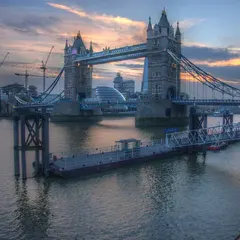
Tower Bridge
-

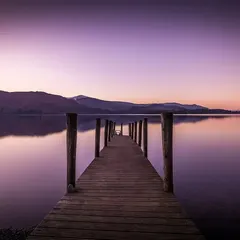
Derwentwater
Photo: Adam Court, CC BY 2.0
-

Primrose Hill
-

Cardiff Bay
Photo: wardyboy400, CC BY 2.0
For adults, and safe by design
Map My Friends is only for people aged 18 and over. There are no public profiles, no comments and no messaging with strangers — just photos for friends you’ve both agreed to. Anyone can block or report a post or a person in two taps, and reports go to a real person.
Sign-ups open soon
We’re putting the finishing touches to sign-in. Have a look at how it works in the meantime.